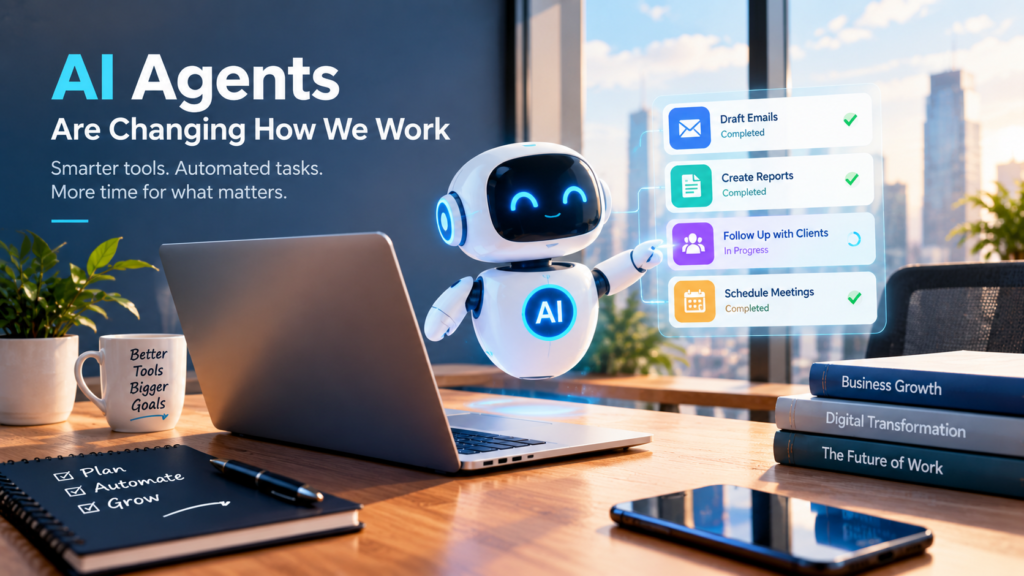
AI Agents Are Changing How We Work: What Businesses Need to Know
Introduction
Artificial intelligence has moved beyond simply answering questions or generating text. The next major development is the rise of AI agents—systems designed not only to respond to instructions but also to carry out multi-step tasks, use connected tools, work with business information, and continue working toward a defined goal.
This shift is becoming increasingly visible in mainstream business software. On September 25, 2026, Microsoft introduced a redesigned Copilot experience featuring Home, Code and Autopilot. Microsoft describes Autopilot as a persistent and proactive agent capable of continuing work even when the user is not actively interacting with it.
For businesses, this raises an important question: What happens when AI stops being just an assistant and starts performing parts of the workflow itself?
What Is an AI Agent?
A traditional chatbot generally works on a simple model:
You ask → AI responds.
An AI agent can work more like this:
You define a goal → AI plans steps → AI uses tools → AI performs tasks → AI reports the result.
The difference is important.
For example, a business owner might ask an ordinary AI chatbot:
“Write an email asking a supplier for an updated quotation.”
The AI produces the email, but the user still has to send it.
An agentic system could potentially be given a broader objective:
“Follow up with this supplier about the quotation and keep me updated.”
Depending on its permissions and integrations, the agent could monitor the relevant communication, prepare or send follow-ups, track progress and report back.
Microsoft’s latest description of Copilot Autopilot illustrates this direction. The company says users can give the agent a name, role and goal, after which it can monitor channels, follow up on conversations, perform recurring work and resume projects later.
Why AI Agents Matter for Small Businesses
Large companies are not the only ones that can benefit from agentic AI.
Small businesses often lose considerable time on repetitive administrative work:
- Preparing routine emails
- Following up with customers
- Organizing information
- Creating reports
- Updating spreadsheets
- Managing appointments
- Preparing quotations
- Summarizing meetings
- Tracking tasks
- Creating recurring content
An AI agent could potentially handle parts of these workflows, allowing employees to spend more time on tasks that require judgment, creativity and human interaction.
The key idea is not simply doing more with AI. It is reducing the number of routine steps people have to perform manually.
From Chatbots to Digital Coworkers
The development of AI can roughly be understood as a progression.
Stage 1: AI as a Search and Question Tool
Users ask questions and receive answers.
Stage 2: AI as a Content Assistant
AI begins helping with:
- Writing
- Summarizing
- Brainstorming
- Translation
- Research
- Data analysis
Stage 3: AI as a Workflow Assistant
AI starts interacting with business applications and helping complete multi-step tasks.
Stage 4: AI Agents
The user provides a goal, boundaries and permissions, while the agent handles multiple steps toward completing the task.
Microsoft’s September 2026 Copilot announcement reflects this broader transition. Its Cowork capability is designed for delegated work, while Autopilot is described as a persistent agent that can continue working without waiting for a new prompt.
This does not mean every AI tool is already an autonomous digital employee. Capabilities vary significantly between products, and many agent features remain in preview or controlled rollout stages.
What Could AI Agents Do for Businesses?
Consider a small online business.
Instead of separately asking AI to:
- Draft a product description
- Create a social media caption
- Prepare an email
- Make a task list
- Summarize customer feedback
a future workflow might allow the business owner to define a larger objective:
“Prepare this week’s product promotion.”
An appropriately configured agent could potentially break that objective into smaller tasks and work through them using connected tools.
Another example is customer follow-up.
A business could establish a workflow in which an agent identifies unanswered customer inquiries, prepares responses according to approved guidelines, and sends or queues them for human review.
The important point is that the agent does not replace the business process. It operates inside a process designed by people.
More Autonomy Also Means More Responsibility
Greater automation brings greater responsibility.
If an AI system only produces a draft, a person can review it before taking action.
But if an agent has permission to send messages, update records, access files or interact with customers, mistakes can have real consequences.
This is why permissions, monitoring and auditability matter.
Microsoft says its Autopilot environment includes identity, memory, computer and workspace capabilities, with permissions, audit and governance controls intended to keep users informed and in control.
Businesses should therefore ask questions such as:
- What information can the agent access?
- What actions can it perform?
- Which actions require human approval?
- Can its activities be audited?
- What happens if it makes a mistake?
- Can access be revoked quickly?
- Who is responsible for reviewing its output?
These questions are just as important as the question of what the AI can do.
AI Agents Will Not Remove the Need for People
It is tempting to describe AI agents as replacements for employees, but that is too simplistic.
Businesses still need people to:
- Set goals
- Make important decisions
- Understand customers
- Handle sensitive situations
- Review important information
- Manage relationships
- Take responsibility for outcomes
AI may increasingly handle the process, while humans remain responsible for the purpose and judgment behind that process.
A useful way to think about the relationship is:
Human defines the objective → AI handles suitable tasks → Human reviews important outcomes.
The exact balance will depend on the business and the level of risk involved.
How Businesses Can Prepare
Businesses do not need to automate everything at once.
A practical starting point is to identify repetitive workflows.
Ask:
Which tasks do we perform every week that follow almost the same pattern?
Then divide those tasks into three categories:
1. Safe to Automate
Routine, low-risk activities that can be checked easily.
2. Automate With Approval
Tasks where AI can prepare the work but a person should approve the final action.
3. Keep Human-Controlled
Sensitive financial, legal, personal or strategic decisions where human judgment remains essential.
This approach allows businesses to experiment without handing an AI system unrestricted control.
The Future of Business AI
The important change is not simply that AI models are becoming better at generating text.
The bigger change is that AI is increasingly being connected to tools, data and workflows.
Microsoft’s current Copilot direction demonstrates this movement: its platform combines conversational AI with delegated work, coding, business context, Office applications and persistent agent capabilities.
For businesses, the next phase of AI may therefore be less about asking:
“What can AI write for me?”
and more about asking:
“Which parts of my workflow can AI safely handle?”
That is a much more practical question.
References
- Microsoft, Introducing the new Copilot with Home, Code and Autopilot, September 25, 2026. Microsoft Official Blog
- Microsoft, Introducing the new Copilot with Home, Code and Autopilot — information on Autopilot, Cowork, Code, permissions, governance and business workflows. Microsoft Official Blog